Char Dham Yatra Registration 2026 Guide
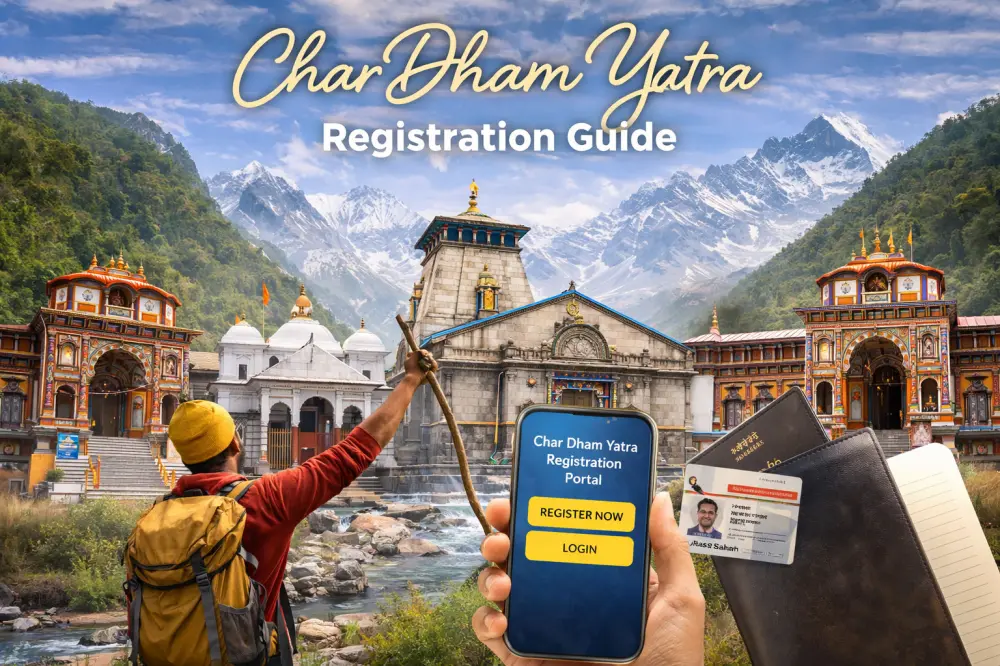
Char Dham registration remains mandatory for all Char Dham pilgrims. Completing registration online before arrival can help reduce waiting time during the peak pilgrimage season.
Char Dham Registration is mandatory for pilgrims visiting Badrinath, Kedarnath, Gangotri, Yamunotri temples or Hemkund Sahib in Uttarakhand. The registration system helps the state government manage pilgrim movement, improve safety and provide assistance during emergencies such as landslides, bad weather or medical situations.
Pilgrims can complete the registration online before starting their journey or visit authorised registration counters in Uttarakhand. After successful registration, a QR code is generated which is verified at designated checkpoints during the yatra.
| Registration Required | Yes, Mandatory for All Pilgrims |
|---|---|
| Registration Fee | Free |
| Registration Modes | Website, Mobile App, WhatsApp & Offline Counters |
| Aadhaar Requirement | Mandatory for Registration |
| Verification Method | QR Code Based Verification |
| Registration Validity | For Selected Travel Dates & Destinations |
Registration for Char Dham Yatra Begins
Online registration (Phase 1): Starts on 06 Mar 2026
Portal: Tourist Care Uttarakhand
Advisory: Pilgrims are encouraged to plan early due to daily caps on darshan. Officials said early registration will help manage crowds and ensure smoother movement during the peak pilgrimage season.
Offline Registration Counter: Open from 15 April 2026
Latest Update on Yatra Registration
As of 15 June 2026, Char Dham Yatra registrations have surpassed the 50 lakh mark, reflecting the overwhelming response from pilgrims across the country.
This year the registration fees for Char Dham will be NIL. Char Dham Yatra registration is FREE for both online & offline registration. Meanwhile, hoteliers have urged the government to ensure the move does not reduce pilgrim turnout, noting that their business largely depends on the limited pilgrimage season each year.
Daily Darshan Cap Remains in Force
As in previous years, a daily cap on the number of pilgrims will be enforced at each shrine to ensure safety and crowd control. The Tourism Department urged travelers to:
- Secure registrations early
- Align travel dates with allotted slots
- Monitor official updates for weather-related advisories
More Char Dham Registration Counters in 2026
This year, more registration counters will be set up for the Chardham Yatra. There will be 30 counters in Rishikesh and 20 in Haridwar.
Aadhar Card mandatory for Registration
Govt has made it mandatory to provide Aadhar Card details for Char Dham Registration this year.
Can Char Dham Registration Be Completed Before Arrival?
Yes. Pilgrims can complete the entire registration process before reaching Uttarakhand through the official registration portal, mobile application or authorised WhatsApp service. Registering in advance usually saves time during the pilgrimage season and reduces waiting at offline counters.
Who Needs Char Dham Registration?
Every pilgrim planning to visit Yamunotri, Gangotri, Kedarnath, Badrinath or Hemkund Sahib must complete registration before undertaking the journey. Registration helps authorities manage crowd movement, improve safety and provide assistance during emergencies.
Available Registration Methods
| Mode | Description |
|---|---|
| Official Website | Register online and download the QR code. (registrationandtouristcare.uk.gov.in) |
| Tourist Care Mobile App | Complete registration through the official mobile application. |
| WhatsApp/Call | +91-8394833833 (Type Yatra on Whatsapp and send this number) Call on Toll Free Number: 0135-1364 |
| Offline Registration Centres | Available at major entry points and pilgrimage towns. |
Mode of Verification
Physically only at the shrine being visited through scanning of the "QR Code" on the allotted wrist bands or in the mobile app or downloaded "Yatra Registration Letter".
Tourist Registration and Verification Process:
- Registration : (Self / Self and Family / Tour Operator)
- Generation of Yatra: Registration Letter with QR code
- Verification at the Dhams
Website for Char Dham Visit Registrations
Documents Required for Char Dham Registration
- Aadhaar Card or other valid government-issued ID
- Passport-size photograph
- Mobile number
- Email address (optional but recommended)
- Emergency contact details
- Vehicle information (if travelling by private vehicle)
Do Children and Senior Citizens Also Need Registration?
Yes. Every pilgrim travelling to the Char Dham temples, regardless of age, should be registered. Each traveller receives an individual registration linked to the planned travel itinerary, helping authorities maintain accurate records during the pilgrimage season.
How to Register Online for Char Dham Yatra
- Visit the official Char Dham registration portal.
- Create an account using your mobile number.
- Create a tour by selecting your travel dates and destinations.
- Add pilgrim details, upload identity proof and photograph.
- Submit the application after verifying all information.
- Download the registration confirmation containing the QR code.
- Carry the QR code in printed or digital form during the yatra.
If travelling with family or a group, multiple pilgrims can be added under the same tour before submitting the application.
Common Registration Mistakes Pilgrims Should Avoid
- Choosing travel dates different from your actual itinerary.
- Uploading an unreadable identity document.
- Entering an incorrect mobile number for OTP verification.
- Forgetting to download the QR code after registration.
- Reaching the temple without completing mandatory verification.
When Should You Complete Registration?
Registration should ideally be completed before entering Uttarakhand, especially during the peak Char Dham season. Early registration helps pilgrims secure their preferred travel dates and reduces waiting time at registration centres. Those planning helicopter travel or fixed tour packages should complete registration well in advance.
Physical Char Dham Registration Points (locations in Uttarakhand)
Below are the Physical Registration Points where pilgrims can do registration with the help of Yatrimitra or by themselves & At Verification Points, yatrimitra will do verification of pilgrims through generated Yatra Registration Letter or Received SMS on their registered mobile number:
Major Offline Registration Centres
Offline registration facilities are generally available at major entry points, transport hubs and important pilgrimage towns across Uttarakhand. The exact locations may change each year depending on government arrangements.
Tourist Helpline Number (7 am to 9 pm)
0135 - 2559898, 2552627, 0135 - 3520100
Toll Free Number: 1364 | For Other States : 0 135 1364
Emergency Helpline Numbers for Char Dham Yatra
Helpline Numbers 24x7
- Police Department 112
- Fire Brigade 101
- Ambulance 108
- Women Helpline 1090
- Tourism Helpline/Yatra Control Room 0135-2559898
- Tourist Information Service 1364
Verification Checkpoints for Char Dham Yatra Registration
During the Char Dham Yatra, your registration details are verified at multiple checkpoints on the route to each temple. Officials known as Yatrimitras scan the QR code on your registration pass to track pilgrim movement and ensure safety. If you misplace your printed pass, the QR code stored on your phone can also be shown for verification.
Typical verification points include:
- Entry Gates: Major checkposts such as Sonprayag (Kedarnath) and Janki Chatti (Yamunotri).
- Trek Starting Points: Before beginning the trek or using pony, palki, or other transport services.
- Temple Entrance: Final verification before entering the temple premises.
It’s advisable to keep your phone fully charged and carry a printed copy of your registration confirmation, as mobile connectivity may be limited in some areas.
After Completing Registration
Once registration is approved, pilgrims receive a confirmation containing a unique QR code. This QR code must be presented at verification checkpoints during the journey. It is advisable to keep both a printed copy and a digital copy on your mobile phone throughout the yatra.